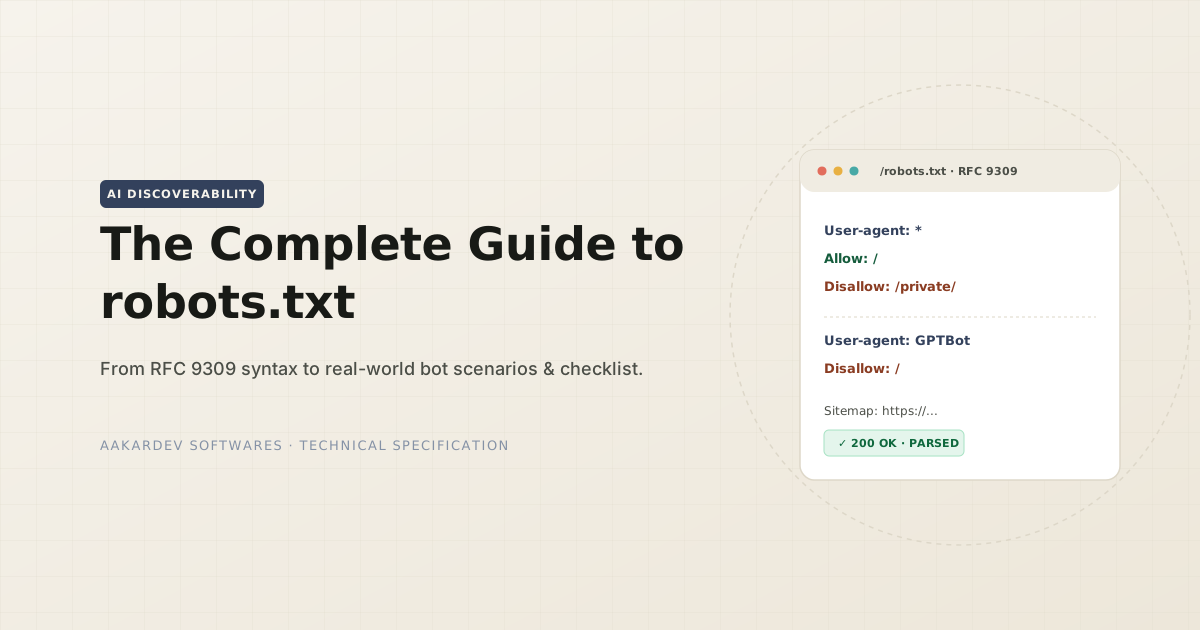
What Is robots.txt
robots.txt is a plain text file which is found at the root of the domain. Which contains a policy for bots on what to crawl and what not to crawl. This file acts as a policy adviser, which means it does not enforce any rules to any bots, depending on the bot, it will crawl the pages.
There are 3 important things to keep in mind:
- ≠ security → it can not stop a bot from requesting the page.
- ≠ privacy → if it crawls the page, it will include all the content of the page. It can not hide sensitive information from bots.
- ≠ de-indexing → if pages are indexed, simply putting into disallow would not remove that page from the search engine.
Where It’s Accessible
Robots.txt file must be found at the root of the domain. It can not be in the subfolder. If the robots.txt file is put on the main domain, it can not be applicable to its subdomain or different port numbers. Each acts as a separate endpoint and each should have their own robots.txt files.
https://example.com/robots.txt— Root domainhttps://www.example.com/robots.txt—wwwsubdomain — a separate hosthttps://subdomain.example.com/robots.txt— Any other subdomain — separate againhttps://example.com:8080/robots.txt— Different port — separate again
What each HTTP response actually means:
| Status | RFC 9309 Term | What The Bot Does |
|---|---|---|
| 200 / 3xx (≤5 hops) | Successful Access / Redirects | Follows the parsed rules |
| 4xx (403, 404, 410…) | Unavailable | No rules exist — crawls everything |
| 5xx | Unreachable | Full disallow, temporarily |
| Network failure / timeout | Unreachable | Same as 5xx — full disallow |
- 2xx and 3xx responses: This is the ideal situation for robots.txt file to be accessible. The file can have redirect but should be having less than 5 hops.
- 4xx responses: This means, the file is not available, means bot will assume to crawl everything from the site.
- 5xx responses: It is opposite to 4xx. It means, broken server response. So bot will temporarily not crawl anything from the site. So, if you have this issue on the server, then good bots can not crawl and index your site.
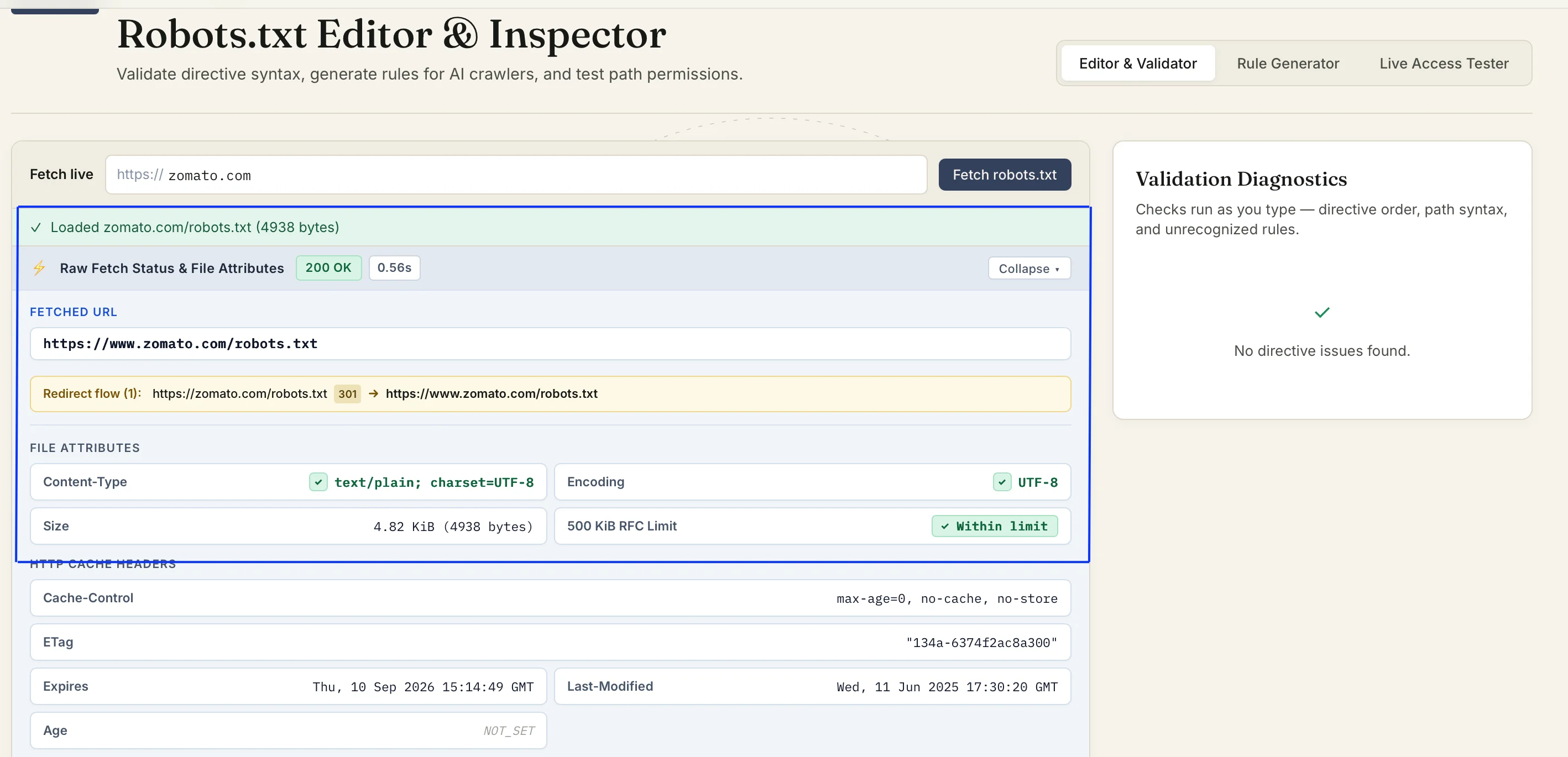
So each status has its uniqueness and usefulness, always need to pay attention to the response status else your site can get affected.
Cache
Bots never read robots.txt on every request. Though the caching window is managed by crawler. Expect ~24 hours as a common reference point, instead of a rule.
If you have just changed the file, it would not get reflected immediately, give it time to reflect at the bot’s end.
Syntax
There are a total 3 main directives defined by RFC 9309:
- User-agent: it is about the bot and group of bots where that rules applies. It can have specific bot name or wildcard (
*). - Allow: contains the path which are explicitly allowed to crawl.
- Disallow: contains the path which are not allowed to crawl.
- Sitemap: it is not part of RFC 9309. It is a global pointer to the sitemap of your site. It can not be tied to any user-agent group.
The directive names are not case-sensitive: Disallow, DiSaLlOw, disallow - are read identically. Still I recommend following proper naming conventions throughout your site.
Bots
Vendors may have more than one crawler, and each with a different job. Blocking one does not mean blocked all. Also it is important to understand where your data you wants to be visible.
For example, if your expectation is to have a site visible on Google search results then blocking all pages for bots would not be productive at all. You can instruct each bot on what to crawl and what not to crawl in separate lines.
Based on how your site you want it to be used training, search, fetch, you need to handle rules.
| Vendor | Training | Search / Citation | On-Demand Fetch |
|---|---|---|---|
| OpenAI | GPTBot | OAI-SearchBot | ChatGPT-User |
| Anthropic | ClaudeBot | Claude-SearchBot | Claude-User |
| Google-Extended | — | Googlebot | |
| Perplexity | — | PerplexityBot | Perplexity-User |
Real Scenarios
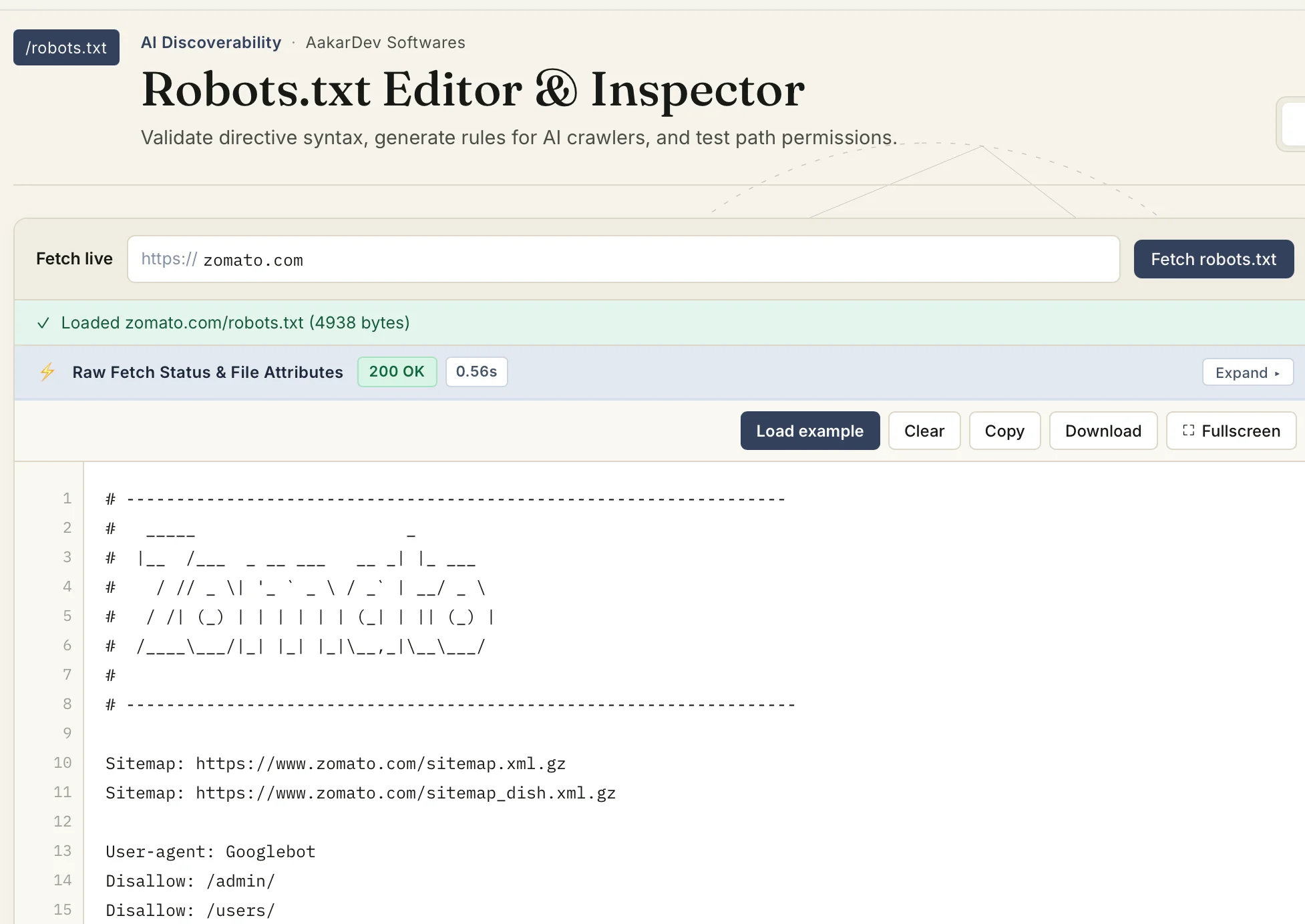
- Comments: anything after
#is ignored by bots; use it to leave notes for humans.
- Allow one file type inside a blocked folder:
Disallow: /private/
Allow: /private/*.pdf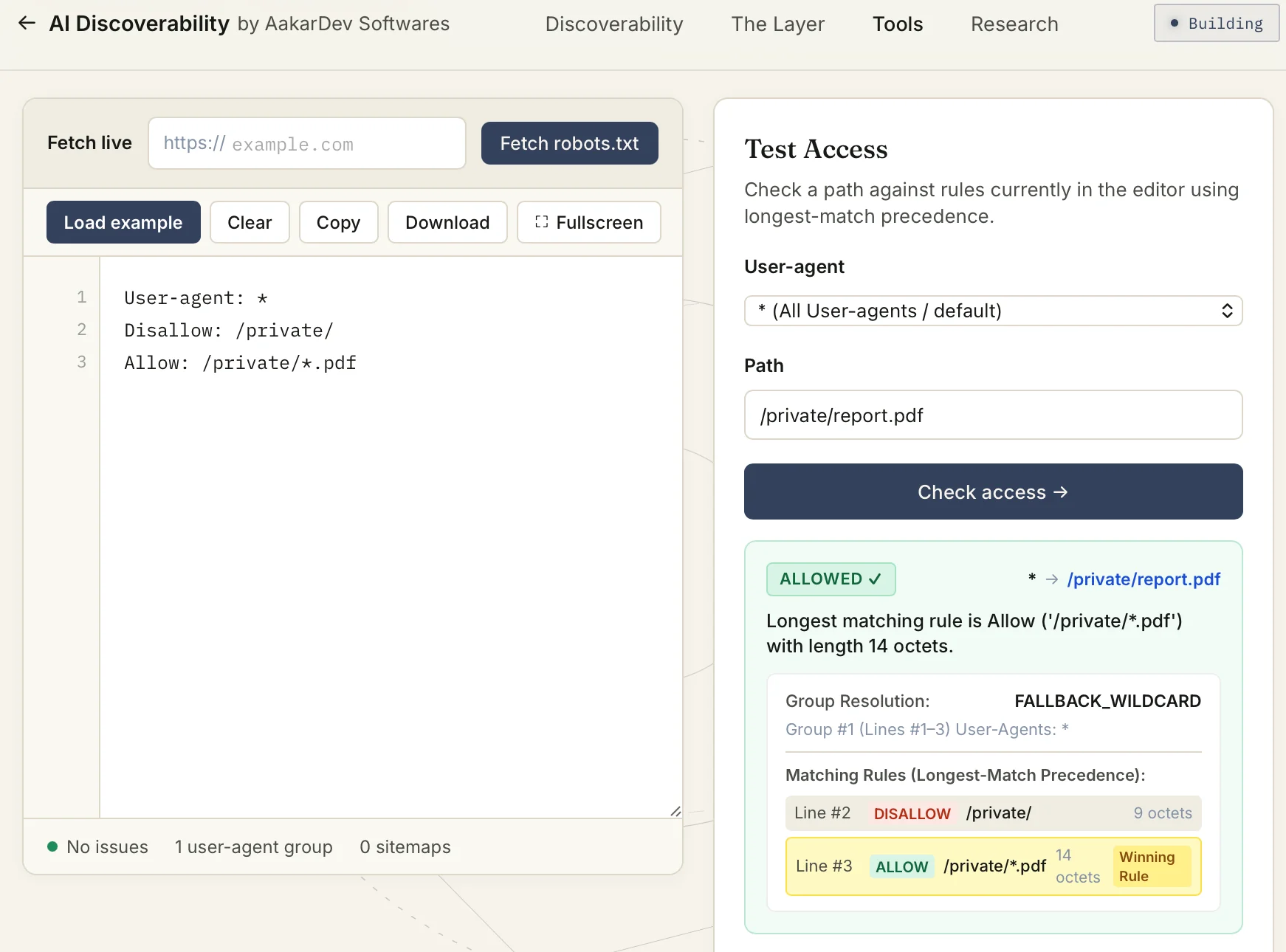
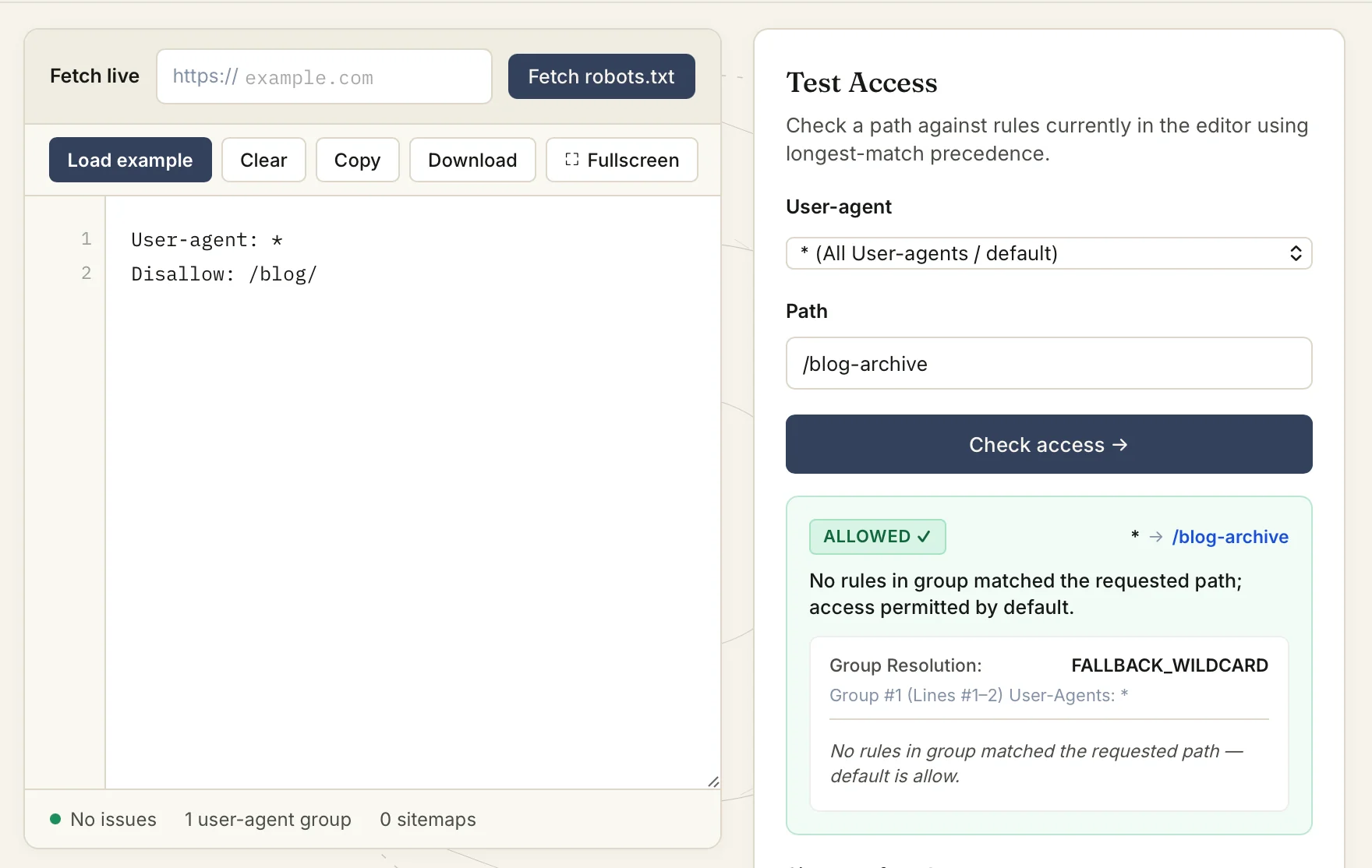
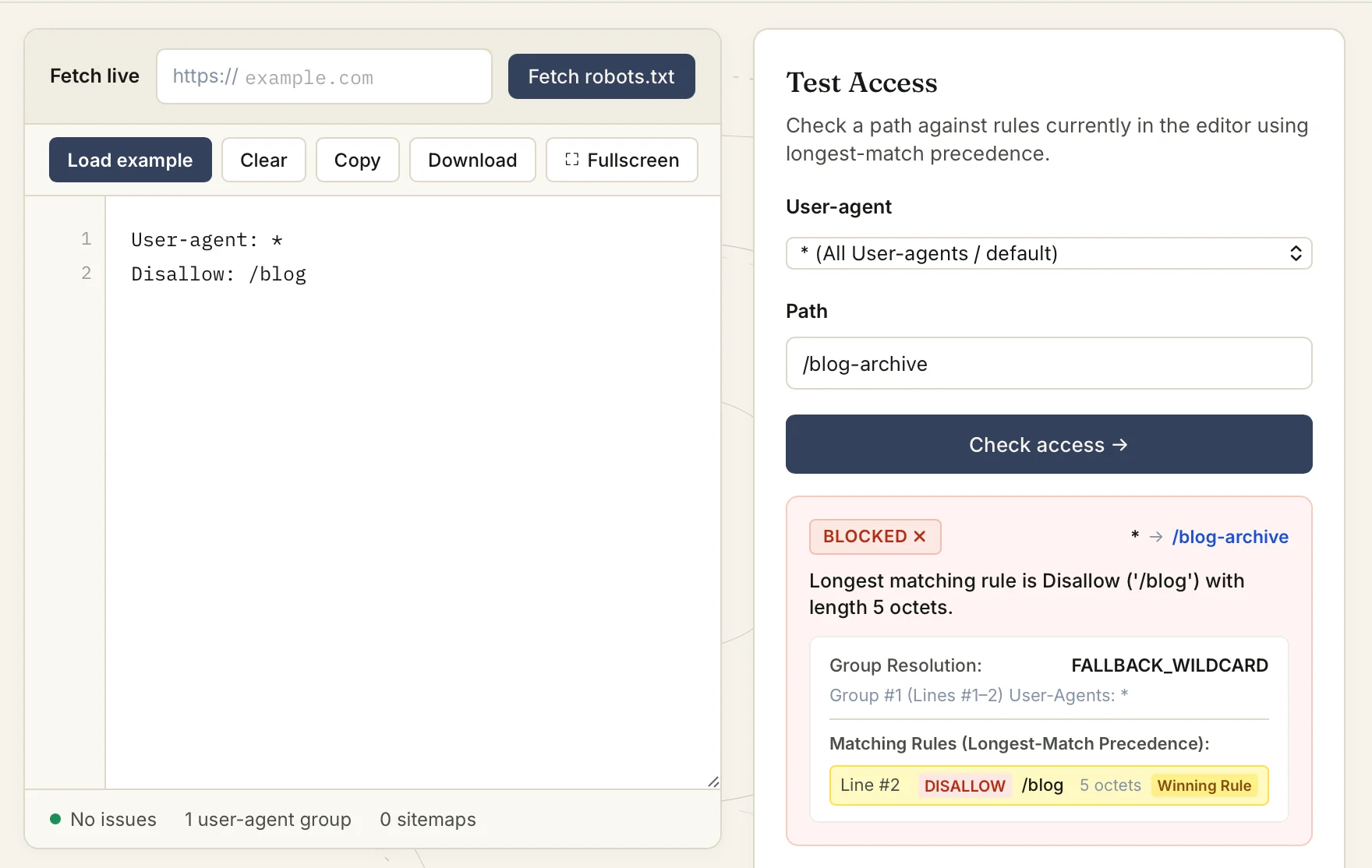
/blogvs/blog/: without the trailing slash, the rule also matches unrelated paths like/blog-archive.
- Block everything: stops all well-behaved crawling.
User-agent: *
Disallow: /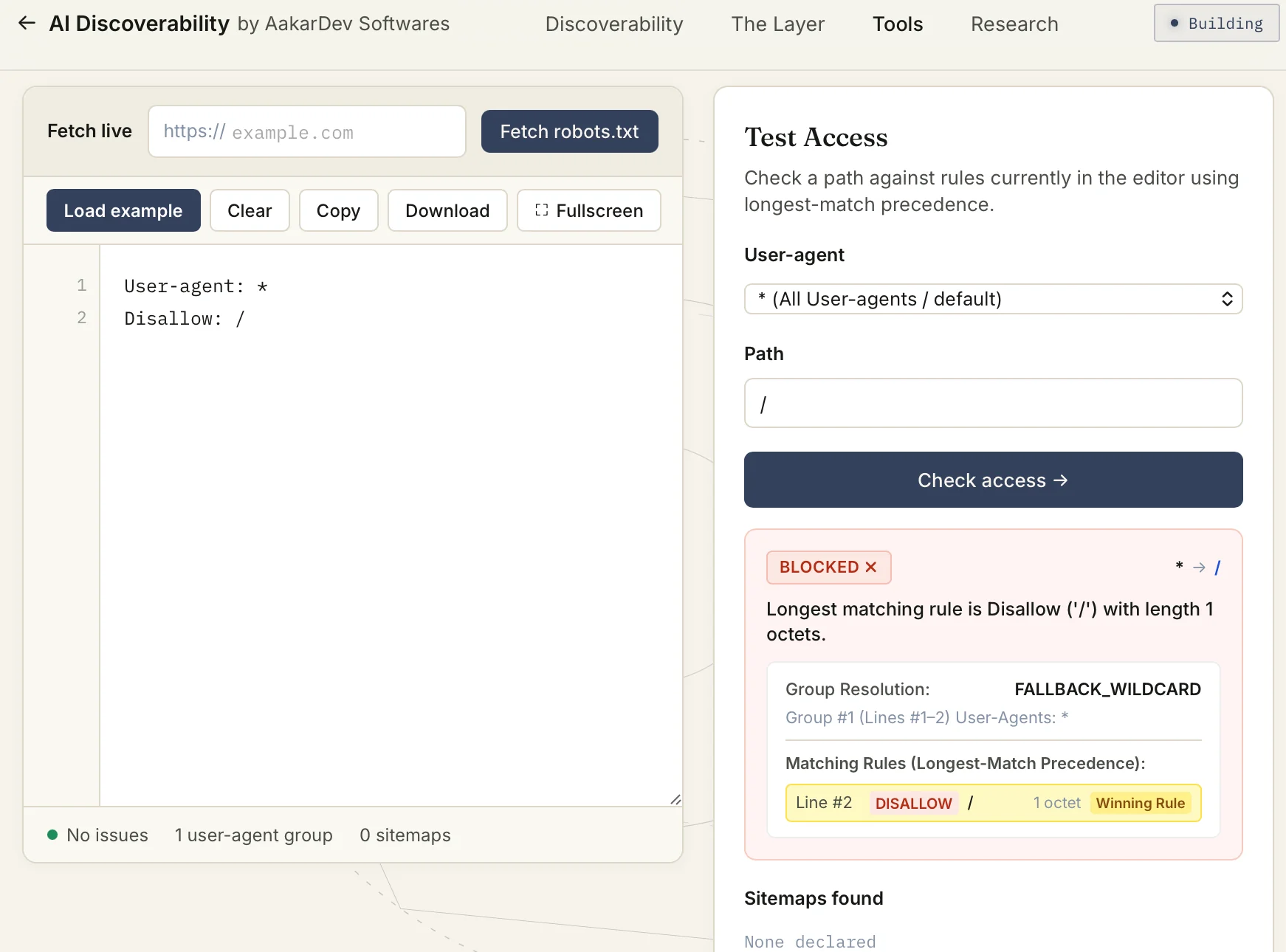
- Allow the whole site, block one path:
Allow: /
Disallow: /admin/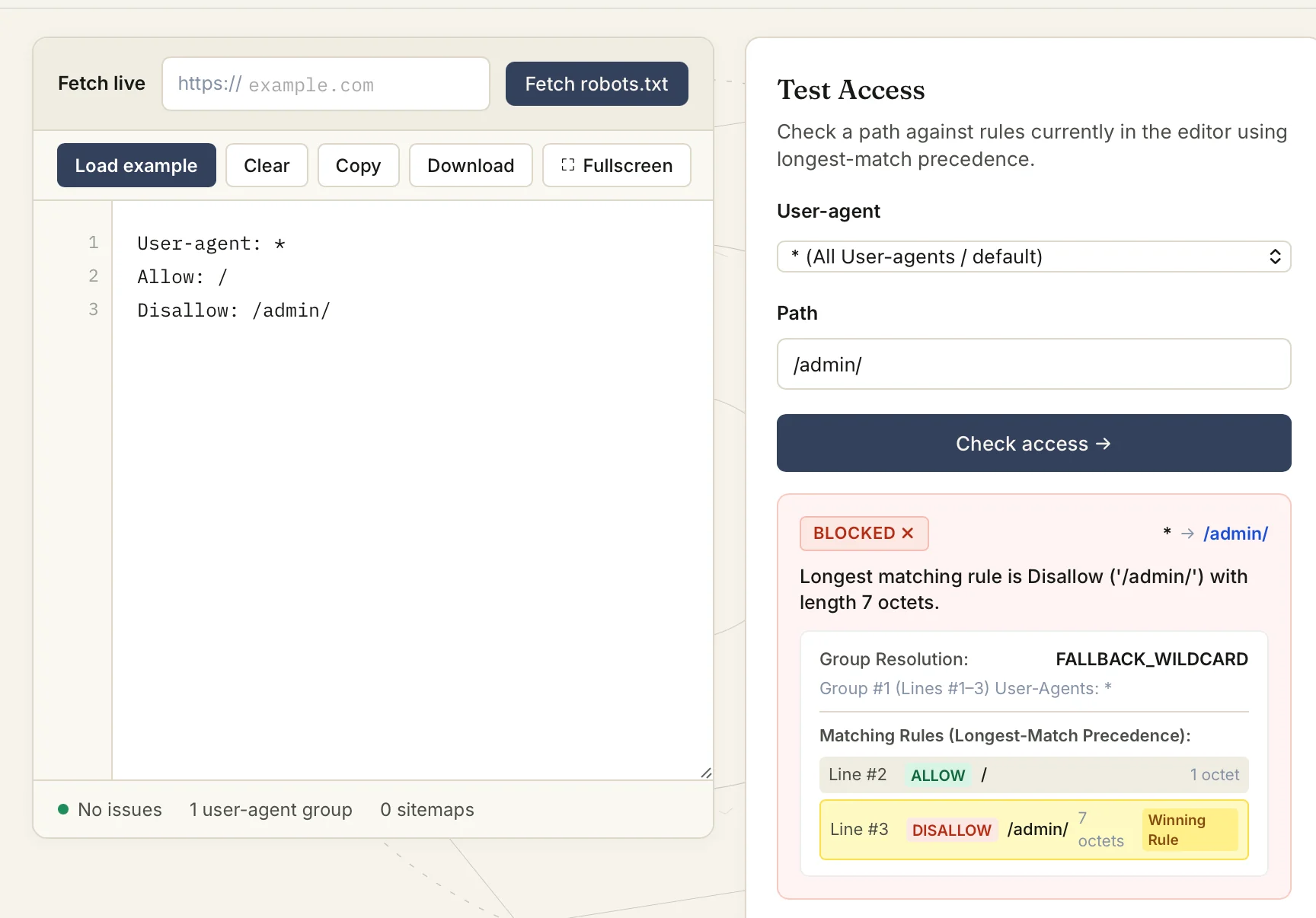
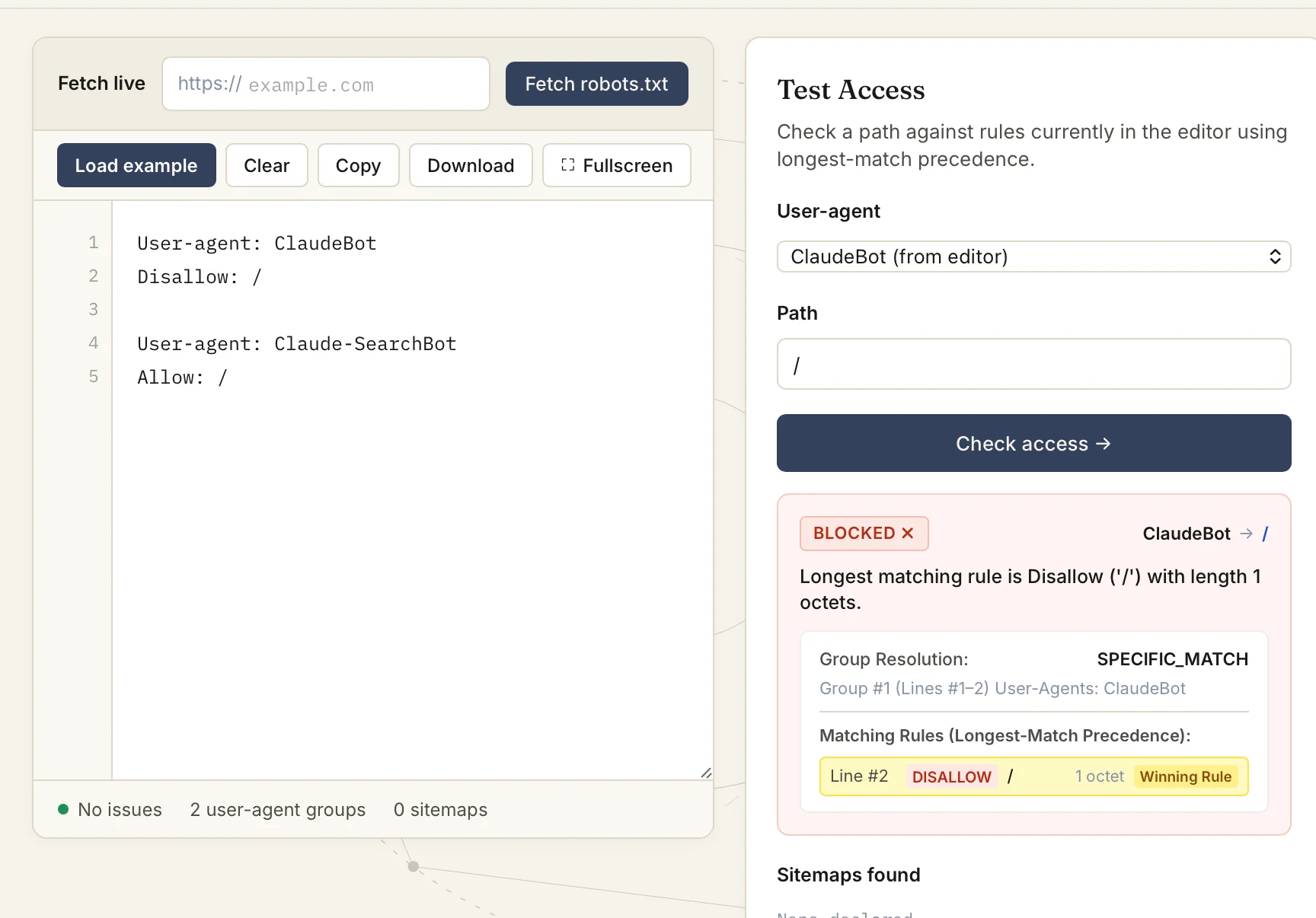
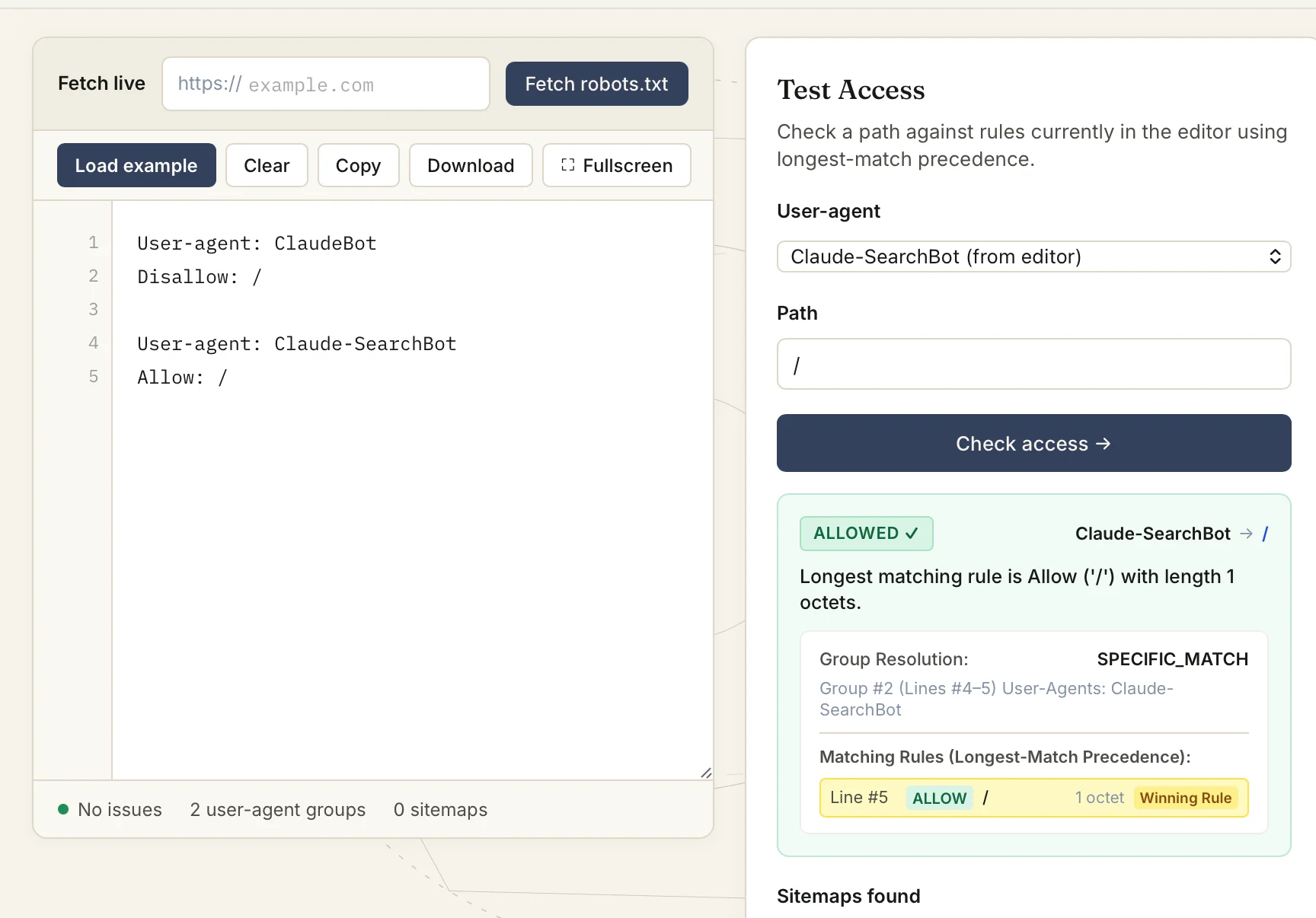
- Different rules for different bots: e.g. block ClaudeBot’s training crawl while allowing Claude-SearchBot.
-
Malformed User-agent lines: an unrecognized line doesn’t open a new group, so following rules keep applying to whichever group was valid above it.
-
Longest match wins When there are multiple rules matching the same url, the longest matching path will win, allow/disallow decisions based on that.
Example:
Disallow: /private/
Allow: /private/public
Request url:
/private/public/
Theallowrule wins because/private/public(15 chars) is longer than/private/(9 chars). -
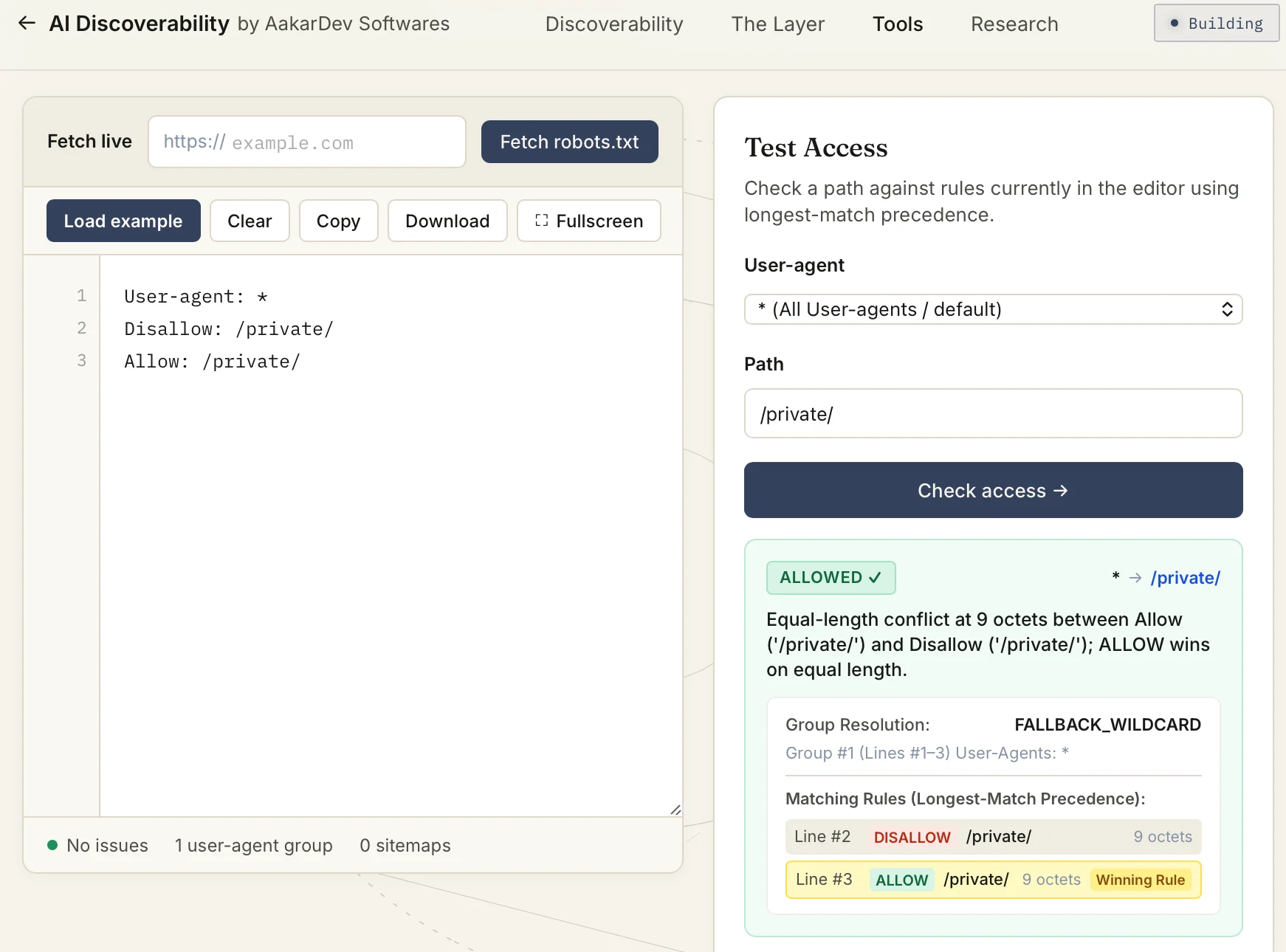
Equal length match If two rules are exactly the same length match, Allow wins.
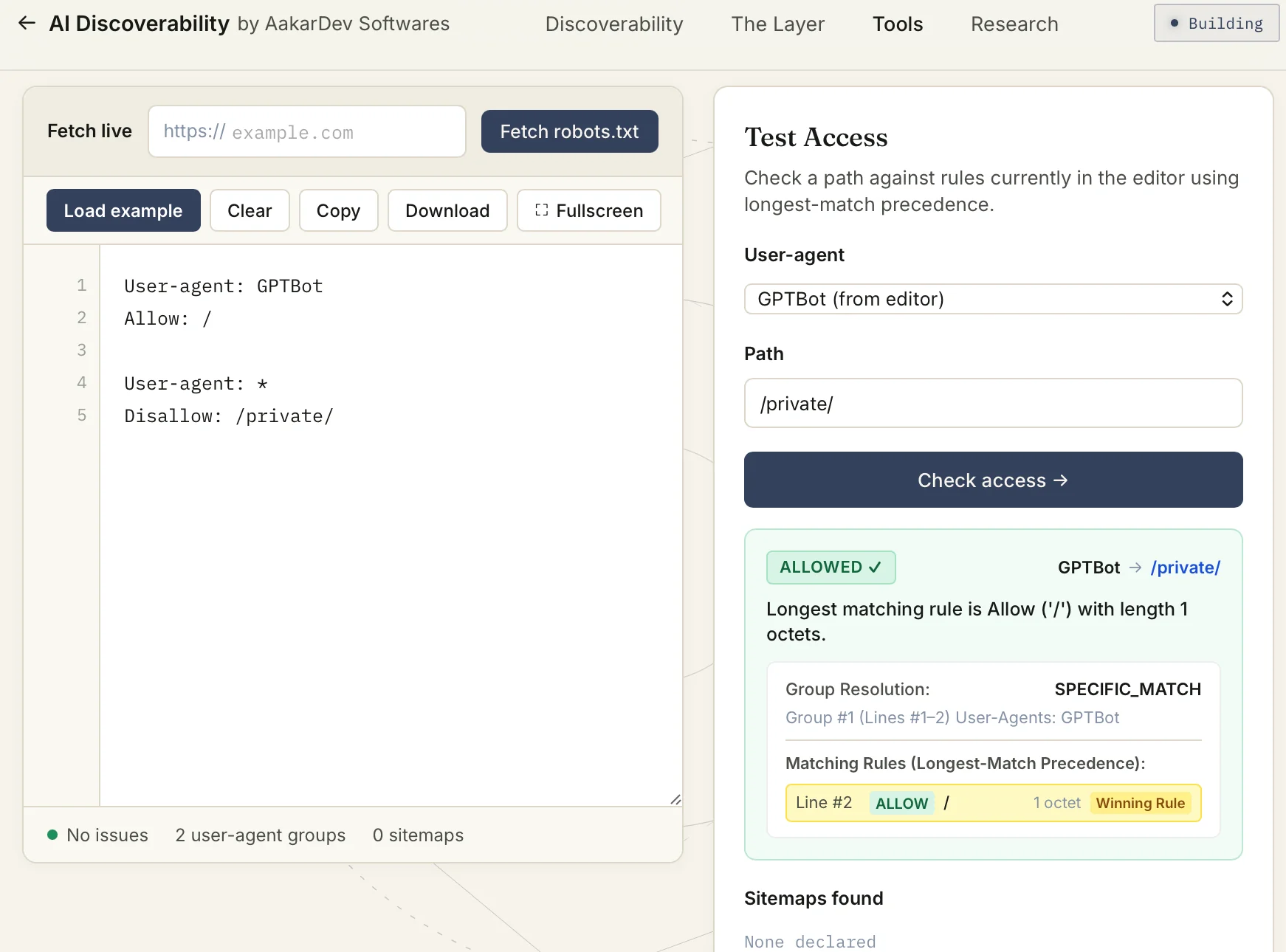
- Specific bot group precedence If you create a separate group of the bot, and then use the whole card group, then the effect would be the separate specific group of the bot. So in this scenario it can ignore the wild card group.
Common Myths
- Disallow hides a page from Google: No, once the content is crawled and indexed simply by disallowing it, the robot does not remove it. It only stores from future crawling. To remove from the index of Google it is another story to manage from Google search console app.
- Crawl-delay works for everyone: No, it is not part of RFC 9309 standard. So every bot will not respect it. Though bing honors it.
- robots.txt protects a private page: No, robots file is only for advice, it can not enforce any restrictions on bots. If you really want to restrict, use waf, access control from the server side.
- All bots are good: No, all bots are not equal, it can crawl any page how it wants based on its vendor’s logic and policy. It is not necessary for bots to follow robots policy at all. So bots can be good or bad.
- A separate sitemap per bot helps: No, the sitemap is not the RFC 9309 standard directive. But it is created as a global directive, so even when you specify under any user agent group, it is not considered as a group level sitemap.
- Multiple robots.txt files per bot: No, only one robots.txt file can exist, it can not have sub pages or linked to other robots pages. So you can not create a bot specific file. The robots standard supports user agent groups to use for this purpose.
- A robots.txt inside a subdirectory: No, only one file at the root of the domain is allowed. If any allow or disallow rule to be used for subdirectory needs to be specified in the one robots file.
Production Checklist
Below are the important checklists derived based on experience:
File
/robots.txtexists at root- Correct hostname & protocol
- HTTP 200 status
text/plaincontent-type- UTF-8 encoding, no stray BOM
- No unexpected redirect
- Under ~500 KB (RFC 9309’s guaranteed parse limit)
Syntax
- Valid user-agent groups
- Directives recognized
- Paths start correctly
- Allow/Disallow logic traced through a real conflict
- Sitemap uses an absolute URL
Crawlers
- Googlebot tested
- Bingbot tested
- Training bots tested separately
- Search/citation bots tested separately
- On-demand fetch bots tested separately
URLs
- Public pages allowed
- Private paths intentionally handled
- Search/filter URLs considered
- Assets (CSS/JS) considered
Infrastructure
- CDN checked
- Caching checked
- Redirects checked
- Deployment checked
- WAF/bot-management not intercepting the request
Sitemap
- URL is valid
- URL is absolute
- Sitemap is reachable
About This Guide
It is really important to test your robots file, specifically when you want to make sure if the bot is having access to the correct page and not any unintentional surprises. You can test and inspect your live robots file using our Robots.txt Editor & Inspector.